
Self-host an OpenSandbox server
Alibaba's sandbox server for AI agents, on a VM with HTTPS and sign-in built in.
Shelley handles the setup. About 5 minutes.
Prefer a terminal?
curl -fsSL https://exe.dev/deploy/opensandbox/prompt.txt | ssh exe.dev new --prompt=/dev/stdinOpenSandbox is an open-source sandbox server for AI agents, started at Alibaba: one API creates a sandbox from any container image, and SDKs, a CLI and an MCP server run commands, move files and open ports in it. Agents use it to run the code they write, browse, or drive a desktop, without touching the machine they live on.
The server needs a Linux machine with Docker, an address the SDK can reach, and a way to keep strangers out. An exe.dev VM has all three: the server and its sandboxes run on the VM, and exe.dev's HTTPS proxy puts the API and every sandbox port behind exe.dev login, with VM tokens for scripts. Claude Code and Codex on the VM can use the server through MCP, with models from exe.dev's LLM integration and no API keys.
exe.dev gives you persistent Linux VMs with HTTPS, sign-in and a coding agent built in; this page runs the OpenSandbox server on one.
What you get#
- The OpenSandbox server 1.2.1 with the Docker runtime, an API key, and a service that starts at boot
- The API and every sandbox endpoint behind exe.dev login, reachable from scripts anywhere with a VM token
- A first Python sandbox created, run, and deleted, in about a second once the image is pulled
- A
desktop.pyscript that opens an XFCE desktop in a sandbox in your browser tab, through noVNC - Sandboxes kept away from the API, from each other, and from the VM's exe.dev integrations
- Claude Code and Codex on the VM using the server through OpenSandbox's MCP server
What's running, and where
https://my-opensandbox.exe.xyz:8080/
the OpenSandbox API, for you and for SDK clients with a VM token and the API key
https://my-opensandbox.exe.xyz:4000/
each sandbox's execd and its ports (4000-4999), with the same exe.dev login or token
ssh my-opensandbox.exe.xyz
the VM itself, where agents use the server through MCP
Deploy with Shelley#
Click Deploy and Shelley will set up OpenSandbox on a new VM, then check that it works. No config-file wrangling required.
Prefer a terminal?
curl -fsSL \
  https://exe.dev/deploy/opensandbox/prompt.txt \
  | ssh exe.dev new --prompt=/dev/stdin
What Shelley is told
Set up OpenSandbox on this VM by following the exe.dev recipe at https://exe.dev/deploy/opensandbox.md?via=deploy from top to bottom.

The recipe's example VM name is my-opensandbox. This VM's name is the output of `hostname`: use it wherever the recipe writes my-opensandbox. Skip the step that creates the VM; you are on it.

You are done when all of these are true. Check each one yourself:
- The OpenSandbox server 1.2.1 with the Docker runtime, an API key, and a service that starts at boot
- The API and every sandbox endpoint behind exe.dev login, reachable from scripts anywhere with a VM token
- A first Python sandbox created, run, and deleted, in about a second once the image is pulled
- A `desktop.py` script that opens an XFCE desktop in a sandbox in your browser tab, through noVNC
- Sandboxes kept away from the API, from each other, and from the VM's exe.dev integrations
- Claude Code and Codex on the VM using the server through OpenSandbox's MCP server

Run "Set up by hand" from "On the VM" (skip creating the VM), then
download hello.py and run it as in "Run your first sandbox", and check
for its "hello from Python" line. Download desktop.py next to it, but
don't run it: it starts a desktop for 30 minutes. Run the `exeuntu
configure`, `claude mcp add` and `codex mcp add` commands from "Let an
agent use it" and check that `claude mcp list` says Connected; skip
the example prompts. Don't print the API key in your final
message: say it is in ~/opensandbox/env. Leave INTEGRATIONS in
firewall.sh at block unless the owner asks otherwise. Never make the VM
public or point port 8000 at the API. Finish with the API's URL, using
this VM's name, and the commands from "Use it from your computer".

Finish with the URLs I should open.
Also at /deploy/opensandbox/prompt.txt. The recipe it follows is /deploy/opensandbox.md.
Run your first sandbox#
Deploy sets everything up; to do it by hand, see the nuts and bolts. Then, on the VM, run the example script, which creates a Python sandbox, runs a file in it, and deletes it:
cd ~/opensandbox
curl -fsSLO https://exe.dev/deploy/opensandbox/hello.py
./py hello.py
sandbox 8db4b376-2530-4fd8-9707-5db6b7a8cbc6 ready in 3.2s
hello from Python 3.12.16
6.12.115
deleted
hello.py is twenty lines
of the OpenSandbox Python SDK: Sandbox.create, files.write_files,
commands.run, kill. ./py runs Python with the SDK installed and
the server's API key from ~/opensandbox/env. The first sandbox takes a
few seconds, later ones about one, because the setup pulled
python:3.12-slim already; any other image is pulled on first use.
The CLI does the same from the shell:
. ~/opensandbox/env
osb config init
osb config set connection.domain localhost:8080
osb config set connection.protocol http
osb config set connection.api_key "$OPEN_SANDBOX_API_KEY"
osb sandbox create --image python:3.12-slim --timeout 30m -o json
osb sandbox list
Use it from your computer#
The API is at https://my-opensandbox.exe.xyz:8080/, private like every
port but 8000. A script on your computer, or on a server, gets in with
two things: a VM token, which gets it through exe.dev's proxy, and
OpenSandbox's API key, which the server checks.
On your computer, make a token that only opens this VM, and fetch the API key:
export EXE_VM_TOKEN=$(ssh exe.dev ssh-key generate-api-key --vm=my-opensandbox \
  --label=opensandbox-sdk --exp=90d --json | jq -r .token)
export $(ssh my-opensandbox.exe.xyz cat opensandbox/env)
export OPEN_SANDBOX_DOMAIN=https://my-opensandbox.exe.xyz:8080
Then run the same script here, with uv:
curl -fsSLO https://exe.dev/deploy/opensandbox/hello.py
uv run --with opensandbox==1.2.1 hello.py
In your own code, it's the ConnectionConfig that matters:
config = ConnectionConfig(
    domain="https://my-opensandbox.exe.xyz:8080",
    protocol="https",
    api_key=os.environ["OPEN_SANDBOX_API_KEY"],
    headers={"X-Exedev-Authorization": "Bearer " + os.environ["EXE_VM_TOKEN"]},
)
The SDK sends headers to the API and to each sandbox, which it reaches
directly at https://my-opensandbox.exe.xyz:<port> (a port from
4000-4999): the proxy checks the token on both and strips it before the
request reaches the VM. Without the token, the proxy answers 401;
without the API key, the server does.
Tip
Keep the token and the API key in your secrets manager, not in code. List tokens with
ssh exe.dev ssh-key listand remove one withssh exe.dev ssh-key remove <fingerprint>.
Open a desktop in a sandbox#
OpenSandbox's opensandbox/desktop image has an XFCE desktop and noVNC,
for agents that click through apps or for watching them. The setup pulled
it. On the VM:
cd ~/opensandbox
curl -fsSLO https://exe.dev/deploy/opensandbox/desktop.py
./py desktop.py
sandbox 0f1c…, deleted in 30 minutes
open https://my-opensandbox.exe.xyz:4135/proxy/6080/vnc.html?path=proxy/6080&autoconnect=1&resize=scale
VNC password: opensandbox
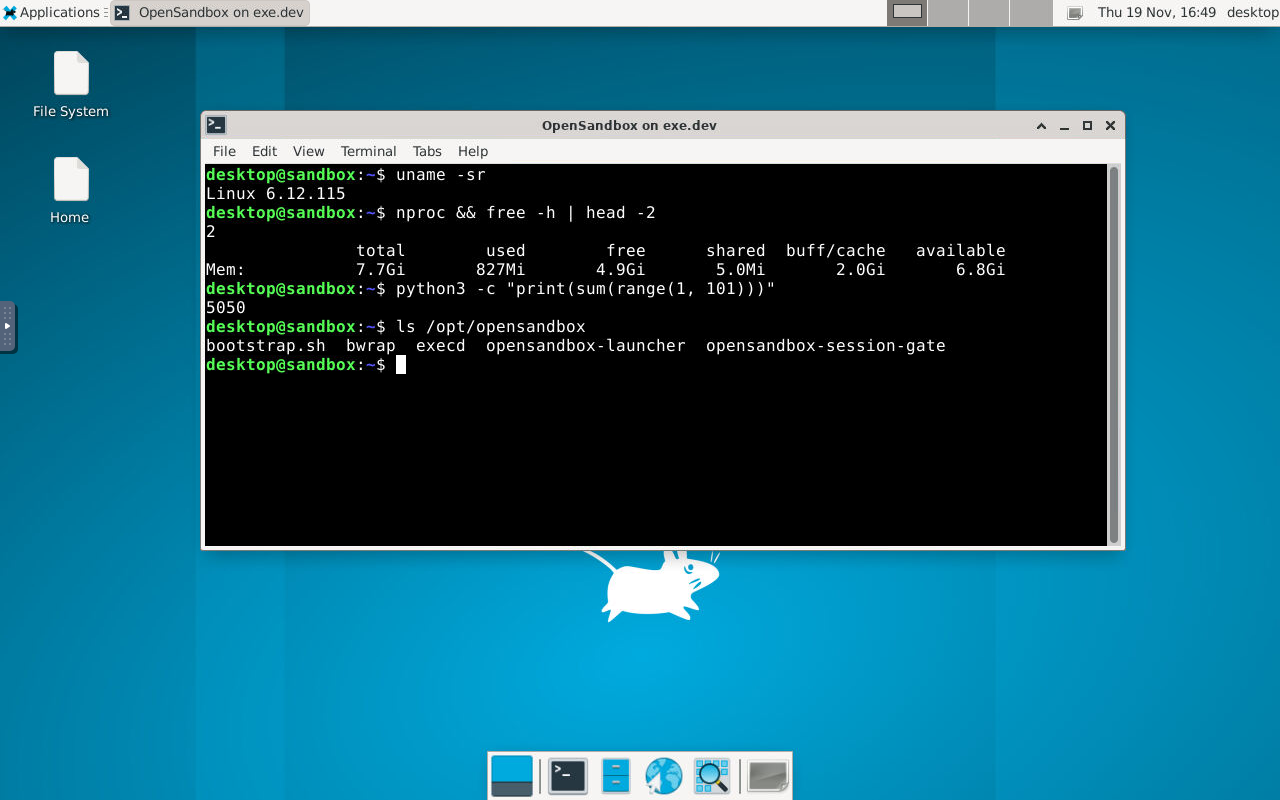
Open the link, sign in to exe.dev if asked, and type the VNC password. desktop.py starts Xvfb, XFCE, x11vnc and websockify in the sandbox, and asks the server for port 6080's endpoint: execd forwards it, and exe.dev's proxy adds HTTPS and the login, WebSockets included.
Set VNC_PASSWORD and DESKTOP_MINUTES to change the password and how
long the sandbox lives. Anyone you share the VM with can open the link
too. The image has no web browser; for a desktop with Chrome that an
agent drives, see computer use.
Let an agent use it#
Claude Code on the VM can create sandboxes and run code in them through
OpenSandbox's MCP server, which the
setup installed with a wrapper, ~/opensandbox/mcp, that hands it the API
key. On the VM, connect Claude Code to the LLM integration and add the MCP
server:
exeuntu configure claude
claude mcp add opensandbox --scope user -- ~/opensandbox/mcp
claude mcp list
opensandbox: /home/exedev/opensandbox/mcp - ✔ Connected means it's
ready. Then ask for something that needs a sandbox:
claude -p 'Create an OpenSandbox sandbox from python:3.12-slim, run python --version in it, then kill it.' \
  --allowedTools mcp__opensandbox
Claude creates the sandbox, runs the command, reports Python 3.12.16,
and kills it. Codex works the same way:
exeuntu configure codex
codex mcp add opensandbox -- ~/opensandbox/mcp
codex exec 'Use the opensandbox MCP tools: create a sandbox from python:3.12-slim, run python --version in it, then kill it.'
Code inside a sandbox can't reach the VM's integrations, the LLM
integration included: sandboxes run code you didn't write, and the
integrations act as you. To let sandboxes call models anyway, set
INTEGRATIONS=allow in ~/opensandbox/firewall.sh, run
sudo systemctl restart opensandbox, and give the sandbox the gateway's
address; OpenAI's and Anthropic's SDKs pick these up:
sandbox = await Sandbox.create(
    "python:3.12-slim", connection_config=config,
    env={"ANTHROPIC_BASE_URL": "https://llm.int.exe.xyz", "ANTHROPIC_API_KEY": "exe.dev",
         "OPENAI_BASE_URL": "https://llm.int.exe.xyz/v1", "OPENAI_API_KEY": "exe.dev"},
)
That opens every integration on the VM to every sandbox, so attach only the ones sandboxes may use.
Limit where a sandbox connects#
A sandbox reaches the internet by default. Pass a network policy and it reaches only what you allow, enforced by OpenSandbox's egress sidecar (DNS filtering plus nftables rules):
from opensandbox.models.sandboxes import NetworkPolicy, NetworkRule

sandbox = await Sandbox.create(
    "python:3.12-slim", connection_config=config,
    network_policy=NetworkPolicy(
        default_action="deny",
        egress=[NetworkRule(action="allow", target="pypi.org")],
    ),
)
In that sandbox, https://pypi.org/simple/ answers 200, example.com
doesn't resolve, and https://1.1.1.1/ times out. A sandbox with a
policy starts in about three seconds instead of one, for the sidecar.
See network security
for the rest: ports, wildcards, and changing a policy while the sandbox
runs.
OpenSandbox or exe.dev sandboxes?#
exe.dev has sandboxes of its own: each one a whole VM
with its own kernel, CPU and memory, billed by the second, that pauses
with its memory and resumes in seconds. They're created with
ssh exe.dev new --sandbox or the Python
and TypeScript SDKs. OpenSandbox can't
create them yet: its runtimes are Docker and Kubernetes, so here every
sandbox is a container on one VM.
Use OpenSandbox on a VM when:
- your code or agent framework already speaks OpenSandbox (its SDKs, MCP server, or an integration such as Google ADK or Pydantic AI);
- you want many small, short-lived sandboxes from any container image at no cost beyond one VM;
- you need its per-sandbox network policies or its desktop and browser images.
Use exe.dev sandboxes directly when:
- the code is untrusted enough that a shared kernel worries you;
- one sandbox needs more CPU or memory than a VM has to spare, or many need to run at once;
- a sandbox should pause for hours and come back with its processes running, at no cost while paused;
- you'd rather not run a server at all.
The nuts and bolts#
Deploy sets all this up. The commands are here to do it by hand, and for later.
Set up by hand
On your computer, create a VM and connect. Pick any free name; if you've already clicked Deploy or have a VM, skip the first command and use its name:
ssh exe.dev new --name=my-opensandbox
ssh my-opensandbox.exe.xyz
On the VM, read setup.sh, then run it:
curl -fsSL https://exe.dev/deploy/opensandbox/setup.sh | bash
It takes about a minute, most of it pulling images. It:
- turns off container-to-container traffic on Docker's bridge
(
"icc": falsein/etc/docker/daemon.json) and starts Docker at boot; - installs
opensandbox-server,opensandbox-cli(osb) andopensandbox-mcp1.2.1 from PyPI withuv tool; - makes an API key in
~/opensandbox/env, mode 600; - writes
~/.sandbox.toml: the Docker runtime in bridge mode, sandbox ports 4000-4999 (inside the range exe.dev's proxy forwards), endpoints asmy-opensandbox.exe.xyz, dropped capabilities, and the 1.2.1 execd and egress images; - writes
~/opensandbox/firewall.sh, which keeps sandboxes away from the API, from each other's ports, and from the VM's integrations; - writes the
opensandboxsystemd service, which runs the firewall, then the server, at boot; - makes
~/opensandbox/.venvwith the Python SDK,./pyto run scripts with it, and./mcp, the MCP server for agents on the VM; - pulls the execd, egress,
python:3.12-slimand desktop images, about 2 GB.
It ends with active, the server's version, and the API's address. To
check it again later:
systemctl is-active opensandbox
curl -s localhost:8080/health
active and {"status":"healthy"} mean it's up. The API's own docs are
at https://my-opensandbox.exe.xyz:8080/docs. Running the script again
is safe: it keeps the API key and the INTEGRATIONS setting, and
restarts the server, which leaves running sandboxes alone.
Back up and restore
Sandboxes are meant to be thrown away, so there's little to keep: the API key, the config, and the server's database of sandboxes. On your computer:
ssh my-opensandbox.exe.xyz 'tar czf - opensandbox/env opensandbox/firewall.sh .sandbox.toml .opensandbox' \
  > opensandbox-backup.tgz
To restore on a new VM, run the setup script first, then unpack the backup over it and restart:
ssh my-opensandbox.exe.xyz 'tar xzf - && sudo systemctl restart opensandbox' < opensandbox-backup.tgz
If the new VM has another name, point the sandbox endpoints at it, on the VM:
sed -i "s/^eip = .*/eip = \"$(hostname).exe.xyz\"/" ~/.sandbox.toml
sudo systemctl restart opensandbox
Clients keep working with the same API key, at the new VM's address.
Update
The script pins OpenSandbox 1.2.1 and its matching execd and egress
images. For a newer release, check the
releases,
then download the script, set VERSION= at the top to the new release,
and run it, on the VM:
curl -fsSLO https://exe.dev/deploy/opensandbox/setup.sh
nano setup.sh    # VERSION=1.2.1 -> the new version
bash setup.sh
Sandboxes that are running keep their old execd; new ones get the new one. Update the SDK in your own projects to the same version.
Troubleshooting
- 401 from
my-opensandbox.exe.xyz, with an exe.dev page: the proxy didn't get a valid VM token. CheckX-Exedev-Authorizationinheaders, and that the token isn't expired. - 401
MISSING_API_KEYorINVALID_API_KEY: the token got through, the API key didn't. Compare withcat ~/opensandbox/envon the VM. - The server doesn't start:
journalctl -u opensandbox -n 50. A typo in~/.sandbox.tomlshows up there. - A sandbox is stuck in
Pendingor fails to start: usually a slow or failed image pull.docker pull <image>on the VM shows why; the server log has the container's error. - No ports left: each sandbox takes one or two ports from 4000-4999.
Delete old sandboxes with
osb sandbox kill <id>, or give them atimeoutso they delete themselves. - Code in a sandbox can't reach a model or GitHub: that's the firewall; see Let an agent use it.
Frequently asked questions#
How much does it cost to self-host OpenSandbox on exe.dev?
OpenSandbox is free and open source (Apache-2.0). Its sandboxes are containers on your VM, so they cost nothing extra: you pay for the VM as part of your exe.dev plan. Model calls through the LLM integration are billed to your exe.dev account.
Who can reach the API and the sandboxes?
You, people you share the VM with, and programs holding a VM token. Ports 8080 and 4000-4999 go through exe.dev's HTTPS proxy, which asks for an exe.dev login, and ports other than the main one are never public. The API also wants OpenSandbox's own API key.
How isolated is a sandbox?
Each sandbox is a Docker container with dropped capabilities, no new privileges and a process limit, sharing the VM's kernel. The setup script also stops sandboxes from calling the API, each other, or the VM's exe.dev integrations. The VM is the hard boundary: nothing in a sandbox reaches your other VMs or your laptop. For a VM per sandbox, use exe.dev sandboxes directly.
How many sandboxes fit on one VM?
An idle sandbox uses a few megabytes of memory, so what they run decides the number. Each gets at most 2 GiB of memory unless you set resource in Sandbox.create; give the VM more CPU and memory with a bigger plan. The port range in ~/.sandbox.toml allows a few hundred at a time.
Does OpenSandbox's Kubernetes runtime work here?
This page uses the Docker runtime, which is what a single machine needs. The Kubernetes runtime wants a cluster; a VM could run a small one with k3s, but you'd be running Kubernetes for the sake of it.
What happens to sandboxes when the VM reboots?
The server and Docker come back on their own, and new sandboxes work at once. Sandboxes that were running are lost: their containers stop, and the API lists them as Failed until you delete them. Keep anything that must last on the VM, not in a sandbox.
Can I use the E2B SDK with it?
Not today. OpenSandbox has its own SDKs (Python, TypeScript, Java, Go, C#), CLI and MCP server; E2B compatibility is a proposal upstream. Code written for E2B needs porting, which is mostly renaming.
Updated Nov 19, 2026 · tested end to end Nov 19, 2026 · Markdown · manifest.json · Something wrong? Tell us