---
title: "Spinning up a Marimo Notebook"
description: "Marimo is a reactive Python notebook. tl;dr: ssh exe.dev new --image=ghcr.io/marimo-team/marimo:latest-sql"
url: https://exe.dev/deploy/marimo
category: "Developer tools"
updated: 2026-10-17
---
# Spinning up a Marimo Notebook
An open source reactive notebook
- **Software:** marimo (https://marimo.io)
- **Source:** https://github.com/marimo-team/marimo
- **License:** Apache-2.0
- **Example VM name:** `my-marimo` (yours will differ; on the VM, `hostname` prints it)
- **Machine-readable:** https://exe.dev/deploy/marimo/manifest.json
## What you get
- Marimo, a reactive Python notebook, with SQL support
- The notebook at `https://my-marimo.exe.xyz/`
Running on the VM:
- **marimo**: `ghcr.io/marimo-team/marimo:latest-sql`, as the VM's image, port 8080
How it is reached:
- https://my-marimo.exe.xyz/ (private): your notebook
## Deploy with Shelley
Open https://exe.dev/new?idea=marimo-notebook to create a VM whose agent, Shelley, follows this recipe. From a terminal:
```sh
curl -fsSL https://exe.dev/deploy/marimo/prompt.txt | ssh exe.dev new --prompt=/dev/stdin
```
Or follow the steps below by hand.
*tl;dr:* `ssh exe.dev new --image=ghcr.io/marimo-team/marimo:latest-sql`
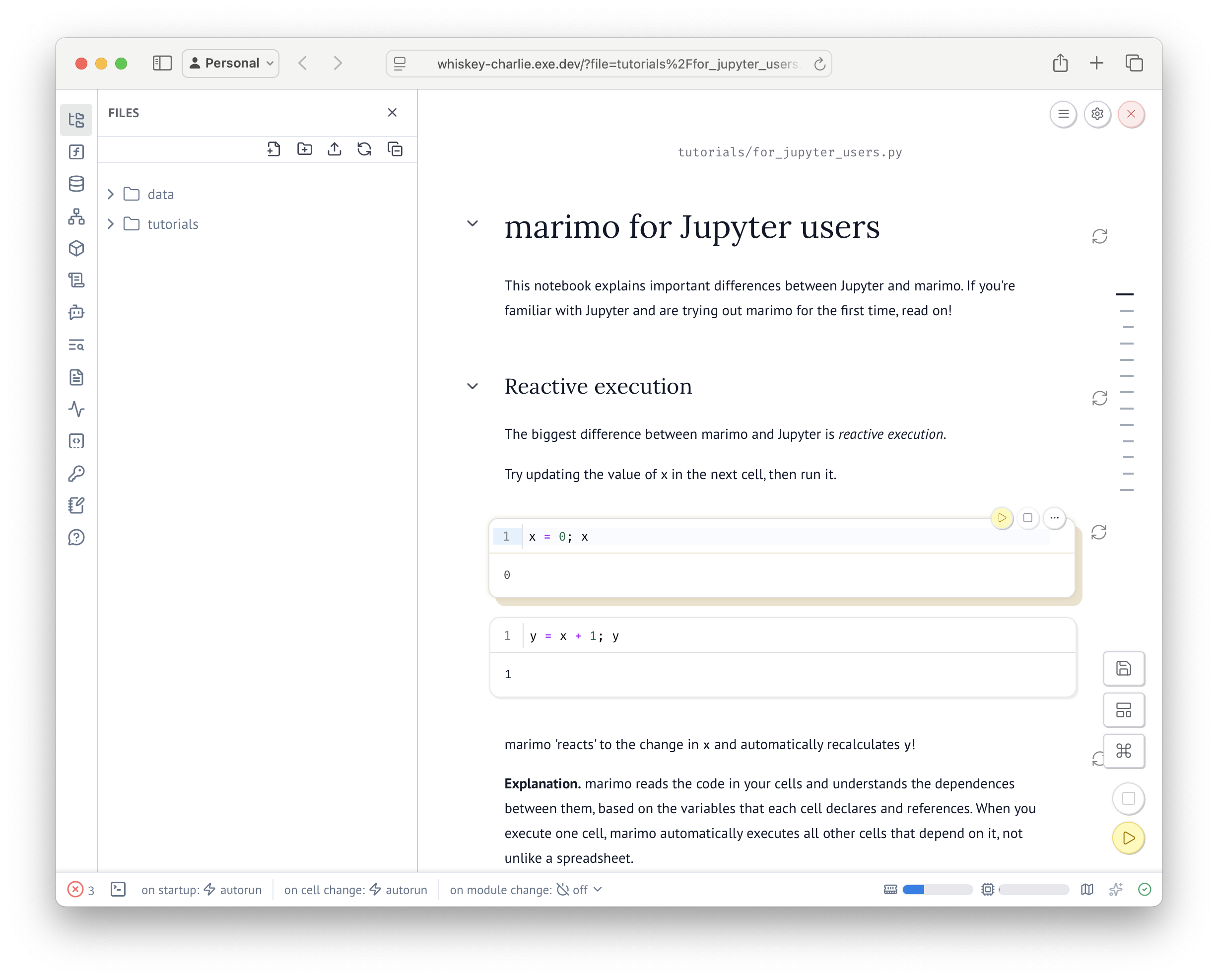 [Marimo](https://marimo.io/) is a reactive Python notebook. To run it on exe.dev, register
for exe.dev with `ssh exe.dev`, and then run
`ssh exe.dev new --image=ghcr.io/marimo-team/marimo:latest-sql` in your terminal.
It'll look like so:
```
$ ssh exe.dev new --image=ghcr.io/marimo-team/marimo:latest-sql
Creating nan-tango using image marimo-team/marimo:latest-sql...
App (HTTPS proxy → :8080)
https://nan-tango.exe.xyz
SSH
ssh nan-tango.exe.xyz
```
Finally, follow the `https://vmname.exe.xyz/` provided. You're all set.
When you're done, `ssh exe.dev rm ` to clean up.
## Related
- [VS Code in your browser, with code-server](https://exe.dev/deploy/code-server.md): Your editor in a tab. Your projects right where you left them.
- [Run Claude Code on a remote server](https://exe.dev/deploy/claude-code.md): A computer for Claude. A breather for your laptop.
- [Dev, Test, Prod: Choose One, Two, or Three](https://exe.dev/deploy/dev-test-prod.md): You can build, test, and deploy on exe.dev.
- [Forgejo](https://exe.dev/deploy/forgejo.md): Self-hosted Git forge with exe.dev SSO
- [Gitea](https://exe.dev/deploy/gitea.md): Self-hosted Git forge with exe.dev SSO
- [Running a self-hosted GitHub Actions Runner](https://exe.dev/deploy/github-actions-runner.md): Log in easily into your CI environment
[Marimo](https://marimo.io/) is a reactive Python notebook. To run it on exe.dev, register
for exe.dev with `ssh exe.dev`, and then run
`ssh exe.dev new --image=ghcr.io/marimo-team/marimo:latest-sql` in your terminal.
It'll look like so:
```
$ ssh exe.dev new --image=ghcr.io/marimo-team/marimo:latest-sql
Creating nan-tango using image marimo-team/marimo:latest-sql...
App (HTTPS proxy → :8080)
https://nan-tango.exe.xyz
SSH
ssh nan-tango.exe.xyz
```
Finally, follow the `https://vmname.exe.xyz/` provided. You're all set.
When you're done, `ssh exe.dev rm ` to clean up.
## Related
- [VS Code in your browser, with code-server](https://exe.dev/deploy/code-server.md): Your editor in a tab. Your projects right where you left them.
- [Run Claude Code on a remote server](https://exe.dev/deploy/claude-code.md): A computer for Claude. A breather for your laptop.
- [Dev, Test, Prod: Choose One, Two, or Three](https://exe.dev/deploy/dev-test-prod.md): You can build, test, and deploy on exe.dev.
- [Forgejo](https://exe.dev/deploy/forgejo.md): Self-hosted Git forge with exe.dev SSO
- [Gitea](https://exe.dev/deploy/gitea.md): Self-hosted Git forge with exe.dev SSO
- [Running a self-hosted GitHub Actions Runner](https://exe.dev/deploy/github-actions-runner.md): Log in easily into your CI environment