---
title: "Run Happy on a server and code from your phone"
description: "Run the Happy CLI daemon on an always-on exe.dev VM and start Claude Code or Codex sessions from Happy's phone app, end-to-end encrypted."
url: https://exe.dev/deploy/happy
category: "AI agents"
published: 2026-11-26
updated: 2026-11-26
---
# Run Happy on a server and code from your phone
> **For agents:** with your user's OK, this sets up Happy on a new exe.dev VM in their account: `curl -fsSL https://exe.dev/deploy/happy/prompt.txt | ssh exe.dev new --prompt=/dev/stdin` (or open https://exe.dev/deploy/happy/new). Already on the VM? Skip this.
Claude Code and Codex on an always-on VM, started from Happy's phone app.
- **Software:** Happy (https://happy.engineering)
- **Source:** https://github.com/slopus/happy
- **License:** MIT
- **Time:** 10 minutes
- **Example VM name:** `my-happy` (yours will differ; on the VM, `hostname` prints it)
- **Machine-readable:** https://exe.dev/deploy/happy/manifest.json
## What you get
- The Happy CLI daemon as a systemd service, back after a reboot
- Claude Code and Codex on exe.dev's LLM integration, with no API key to paste
- Your phone paired with the VM, starting and steering sessions on it
- A Git project at `~/project`, and optionally your own Happy relay
Running on the VM:
- **Happy CLI daemon**: happy 1.2.7 on Node.js 24, a systemd service, data in `~/.happy`
- **Claude Code and Codex**: preinstalled; connected to exe.dev's LLM integration, data in `~/.claude, ~/.codex`
- **Happy's relay**: the daemon connects out to it; no port is opened on the VM
- **Your project**: a Git repository, data in `~/project`
How it is reached:
- Happy's iOS, Android and web apps (private): through Happy's end-to-end encrypted relay, after you pair the VM with your phone
- ssh my-happy.exe.xyz (private): your terminal, for pairing, terminal sessions and upkeep
- https://my-happy.exe.xyz/ (public): only if you run your own relay; the Happy app connects to it there
## Deploy with Shelley
Open https://exe.dev/deploy/happy/new to create a VM whose agent, Shelley, follows this recipe. From a terminal:
```sh
curl -fsSL https://exe.dev/deploy/happy/prompt.txt | ssh exe.dev new --prompt=/dev/stdin
```
Or follow the steps below by hand.
[exe.dev](https://exe.dev/) gives you persistent Linux VMs with HTTPS,
sign-in and coding agents built in. [Happy](https://happy.engineering) is
an open-source iOS, Android and web app for Claude Code and Codex: put its
CLI on a VM, and you start sessions, follow them and approve steps from
your phone while the agents keep working on the VM. Traffic goes through
Happy's end-to-end encrypted relay, so the VM opens no port, and the agents
use exe.dev's [LLM integration](/docs/integrations-llm): no API keys.
## Install
Deploy installs Happy and its daemon. Pairing needs your phone, so you do
that next. To install by hand:
Install by hand
On your computer, create a VM and connect (or use a VM you have):
```bash
ssh exe.dev new --name=my-happy
ssh my-happy.exe.xyz
```
### Install Happy
On the VM, connect the agents to the LLM integration, install Node.js 24
and Happy, and make a Git project for the agents:
```bash
exeuntu configure claude
exeuntu configure codex
curl -fsSL https://deb.nodesource.com/setup_24.x | sudo -E bash -
sudo apt-get install -y nodejs
sudo npm install -g happy@1.2.7
git init ~/project
```
### Run the daemon as a service
The daemon lets the app start sessions on the VM. This service starts it
on boot, once pairing has written `~/.happy/access.key`:
```bash
sudo tee /etc/systemd/system/happy-daemon.service >/dev/null <<'UNIT'
[Unit]
Description=Happy CLI daemon
After=network-online.target
Wants=network-online.target
ConditionPathExists=/home/exedev/.happy/access.key
[Service]
User=exedev
WorkingDirectory=/home/exedev
Environment=PATH=/home/exedev/.local/bin:/usr/local/bin:/usr/bin:/bin
ExecStart=/usr/bin/happy daemon start-sync
KillMode=process
Restart=always
RestartSec=5
[Install]
WantedBy=multi-user.target
UNIT
sudo systemctl daemon-reload
sudo systemctl enable happy-daemon
claude -p "Reply with exactly: OK"
```
The last line prints `OK`.
## Pair your phone
Install Happy from the [App Store](https://apps.apple.com/app/id6748571505)
or [Google Play](https://play.google.com/store/apps/details?id=com.ex3ndr.happy)
and tap **Create account**. Then, on your computer, in a terminal big
enough for a QR code:
```bash
ssh -t my-happy.exe.xyz happy auth login
```
Choose **Mobile App**, tap **Scan QR code** in the app and scan it (or
**Paste link instead** with the `happy://terminal?…` link). When the
terminal says `✓ Authentication successful`, start the daemon:
```bash
ssh my-happy.exe.xyz 'sudo systemctl start happy-daemon && sleep 3 && happy daemon status'
```
It says `✓ Daemon is running`, and the VM appears in the app.
## Start a session
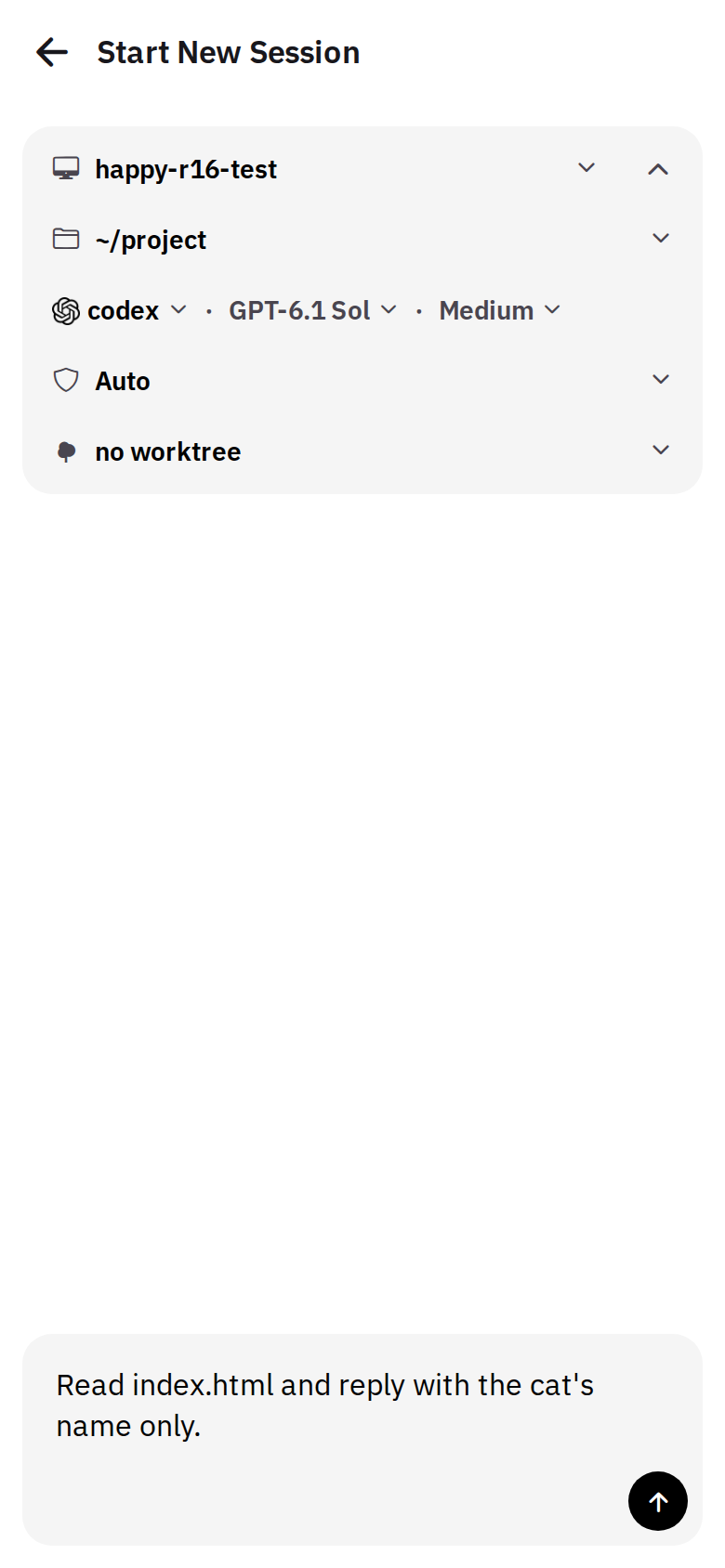
In the app, tap **+**, pick your VM, type `~/project` as the folder,
choose **claude code** or **codex**, and send a task:
> Write index.html: a one-page site for a very opinionated cat, and serve
> it on port 8000 with python3 -m http.server in the background.
Pick the machine, folder, agent and model, then type the task.
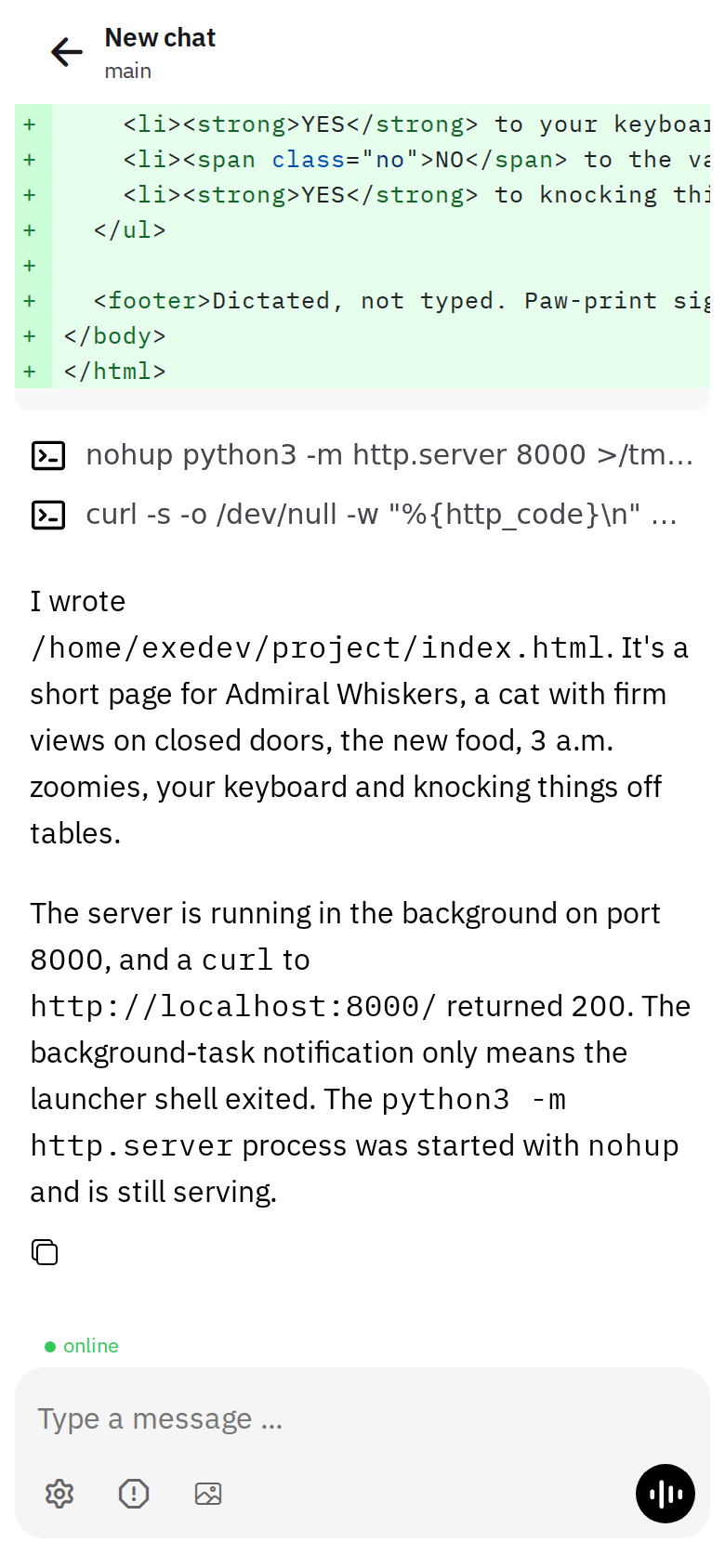
The agent works on the VM and streams its edits, commands and summary to
your phone; Happy notifies you when it's done or needs permission. See
the result at `https://my-happy.exe.xyz/`, private until you
[share it](/docs/sharing).
A finished Claude Code session. The agent ran on the VM; the phone only steered it.
- **From the terminal**: `happy` (Claude Code) or `happy codex` on the VM
shows up on your phone too.
- **Your code**: [connect a GitHub repo](/docs/integrations-github), clone
it on the VM, and pick its folder for new sessions.
- **After a reboot** the daemon comes back, but running sessions end.
Start a new one, or resume one in tmux on the VM with
`happy resume ` (the ID is at the end of the session's
address in Happy's web app), then resend your message.
> [!WARNING]
> Your Happy account can run any command on the VM through its agents.
> Keep your phone locked, and treat `~/.happy` on the VM like an SSH key.
## Run your own relay
Happy's relay sees which sessions exist and the text of push
notifications, but not their content. To keep even that on your VM, run
the relay there.
Self-host the relay
Do this before pairing, or pair again after: the app and the VM must use
the same relay. It has to be public, because the app can't sign in to
exe.dev, and it takes over `https://my-happy.exe.xyz/` (previews move to
`:8000`). Anyone who finds it can create an account, but can't read
yours. We didn't test push notifications with it.
On the VM, build the relay from the commit we tested (about five
minutes) and start it with a random master secret, which you must keep:
```bash
sudo systemctl enable --now docker.service
git clone --filter=blob:none https://github.com/slopus/happy ~/happy-src
git -C ~/happy-src checkout 92826ef40fc96daec2ac87e975ce14ff00ad3a43
cd ~/happy-src
sudo docker build -t happy-server:92826ef -f Dockerfile .
sudo docker builder prune -af
mkdir -p ~/happy-server && cd ~/happy-server
install -m 600 /dev/null .env
echo "HANDY_MASTER_SECRET=$(openssl rand -hex 32)" > .env
cat > docker-compose.yml < ~/.happy/settings.json
```
The CLI uses `localhost` because the VM can't reach its own public
address. On your computer, make the relay public:
```bash
ssh exe.dev share port my-happy 3005
ssh exe.dev share set-public my-happy
curl -s https://my-happy.exe.xyz/health
```
It prints `"status":"ok"`. In the app, before **Create account**, tap the
gear, choose **Server**, enter `https://my-happy.exe.xyz` and save. Then
pair as above. To back the relay up, stop it with `sudo docker compose
stop` and archive `~/happy-server` with `sudo tar`; it holds the secret.
## Update and back up
Stop the daemon before updating; two Happy versions can't share
`~/.happy`:
```bash
sudo systemctl stop happy-daemon
sudo npm install -g happy@latest
sudo systemctl start happy-daemon
```
Update the agents with `sudo exeuntu update claude` and
`sudo exeuntu update codex`. For a backup, push your code, or copy the
whole VM with `ssh exe.dev cp my-happy my-happy-backup`. Save your
account's **Secret Key** from the app's **Settings › Account**: it's the
only way to recover the account.
## Troubleshooting
- **The VM is missing or offline in the app.** Run
`systemctl status happy-daemon` on the VM. "Start condition unmet" means
it isn't paired yet; otherwise `journalctl -u happy-daemon -n 50` and
`happy doctor` say why.
- **`happy` asks to pair, or fails with a "raw mode" error.** Pair with
`ssh -t my-happy.exe.xyz happy auth login`; `-t` gives it a terminal.
- **An agent doesn't answer.** Check `claude -p "Reply with exactly: OK"`
and `codex exec "Reply with exactly: OK"` on the VM, rerun
`exeuntu configure claude` or `exeuntu configure codex` if they fail,
then `sudo systemctl restart happy-daemon`.
## Next steps
- [Claude Code](/deploy/claude-code),
[Codex remote control](/deploy/codex-remote-control) and
[Antigravity CLI](/deploy/antigravity-cli): the agents on their own.
- [Paseo](/deploy/paseo), [T3 Code](/deploy/t3code),
[Herdr](/deploy/herdr), [Rex](/deploy/rex) and
[Pi Durable](/deploy/pi-durable): other ways to run agents on a server.
- [Cloud browser](/deploy/cloud-browser) and
[Linux desktop](/deploy/linux-desktop): a browser and screen for the
agents.
- [exe.dev MCP](/deploy/exe-mcp) lets an agent manage VMs;
[Agents](/deploy/agents) lists every agent recipe.
## Frequently asked questions
### Do I need a Happy account?
The app makes one when you tap **Create account**: a key pair on your phone, with no email or password. Happy is free and MIT licensed; you pay only for the VM and for model usage through exe.dev's [LLM integration](/docs/integrations-llm).
### Can I use my own Claude or ChatGPT subscription?
Yes, your own. On the VM, remove `apiKeyHelper` and `env.ANTHROPIC_BASE_URL` from `~/.claude/settings.json` and the `exe-llm` provider from `~/.codex/config.toml`, run `claude auth login` or `codex login`, then `sudo systemctl restart happy-daemon`.
### Do the agents keep working when I close the app?
Yes. Sessions started from the app run under the daemon on the VM. A session started with `happy` in a terminal ends when the terminal closes, unless it runs in tmux.
### Can Happy's servers read my code?
No. Prompts, replies, command output and files are encrypted on the VM or phone before they reach the relay. It does see which machines and sessions exist, when they're active, and the text of push notifications. See Happy's [security docs](https://happy.engineering/docs/security/).
### Happy, Paseo or Codex remote control?
All keep agents on the VM and steer them from a phone. [Codex remote control](/deploy/codex-remote-control) is Codex only; [Paseo](/deploy/paseo) adds a web app behind exe.dev's login. Happy's relay is one you can run yourself. The Happy team's newer [Happy Agent](https://github.com/slopus/happy-agent), steered from Happy Desktop, is a separate project.
### Does it run other agents?
Happy 1.2.7 also has `happy agy` for the [Antigravity CLI](/deploy/antigravity-cli) and `happy acp` for Agent Client Protocol agents, but no Grok command. We tested Claude Code and Codex only.
## Related
- [Run Paseo on a remote server](https://exe.dev/deploy/paseo.md): One app for your coding agents, on a VM you steer from your phone.
- [Run Codex remote control on a server](https://exe.dev/deploy/codex-remote-control.md): Codex on an always-on VM, steered from the ChatGPT app on your phone.
- [Run Claude Code on a remote server](https://exe.dev/deploy/claude-code.md): A computer for Claude. A breather for your laptop.
- [Run T3 Code on a remote server](https://exe.dev/deploy/t3code.md): Your coding agents on an always-on VM, steered from your phone.
- [Self-host OpenClaw on an always-on server](https://exe.dev/deploy/openclaw.md): An AI sidekick with its own computer. Your laptop can take a nap.
- [Run Codex on a remote server](https://exe.dev/deploy/codex.md): A computer for Codex. An early night for your laptop.